


wearecity
-
Posts
3,963 -
Joined
-
Last visited
-
Days Won
63
Content Type
Profiles
Forums
Gallery
Downloads
Articles
Everything posted by wearecity
-
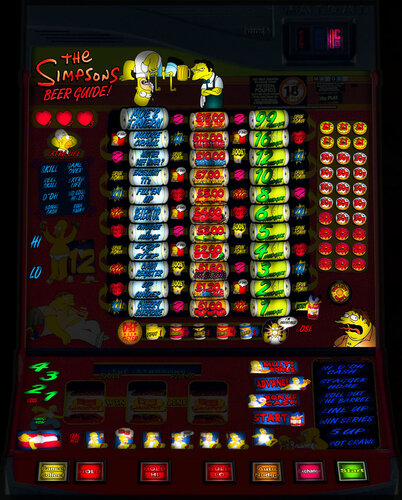 It could be the higher quality of the other layouts, is too intensive for your system. One thing you could try on the other versions is to unpack the blended lamps. Load the layout, click on design, edit mode, click on design again and at the bottom go to misc tools and choose unpack blended lamps. Then exit and save the layout and reload it.
 -
Try this version. It's an older layout version. Duff Beer Guide Wdx.zip
-
Which version of the layout doesn't work? I've tried the £15 30p version without issue.
-
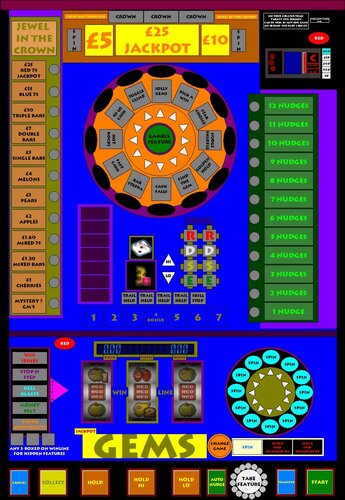
Version 1.0.0
40 downloads
Jackpot Gems A Red Gaming machine on MPU5 Tech £25 Jackpot, 30p Play, 80% Average Payout. KEYS: 0=Insert £1, '=Cancel, C=Collect, 1=Hold 1, 2=Hold 2/Hi, 3=Hold 3/Lo, A/N=Auto Nudge, F=Take Feature, T=Transfer, Space=Start H=Change Game, G=Gamble Feature THANKS TO: WIZARD (RIP) for the Jollytastic MFME Dad for the main reel symbols and to Woodsy for the dice symbols. Lou for his amazing Rom Stash. Infection for his amazing picture gathering. Red Gaming and whoever owns them now for leaving FME alone. -
You'll find donating is available on the portal page of the forums.
-
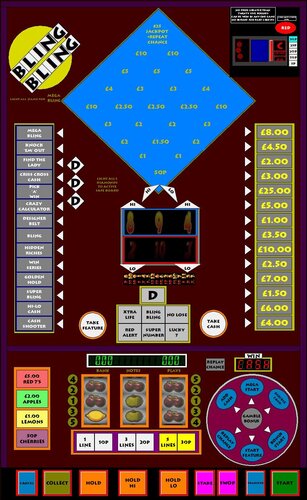
Version 1.0.0
39 downloads
Bling Bling A Red Gaming Machine on MPU5 Tech £25 Jackpot, 10p-30p Play, 80% Payout. REEL BELTS On the real machine, there's only 1 reel belt. Due to a restriction of the emulator, the belts have had to be split into 2. Red Numbers DO NOT guarantee a hi-lo win, even on the real machine. When they land they turn the Feature/Cash Amount Red. KEYS: '=Cancel, C=Collect, 1=Hold 1, 2=Hold 2/Hi, 3=Hold 3/Lo, D=Stake, S=Swop, T=Transfer, Space=Start, 0=Insert £1 F=Take Feature, H=Take Cash, G=Gamble Bonus I=Left Hi, J=Left Lo, O=Middle Hi, K=Middle Lo, P=Right Hi, L=Right Lo. THANKS TO: WIZARD (RIP) for the Blinking Great MFME. Loo for the roms Infection for some images to aid the layout creation. -
 You can't. John has finished with it and moved on to something else. https://www.desertislandfruits.com/forum/index.php?/topic/15026-oasis-working-title/ You never could add your own stuff, even when it was actively being worked on. I believe John, is busy with IRL stuff and therefore isn't that active at the moment. It was the start of something and in the end did look amazing.
 -
I haven't, but good luck, let us know how you get on.
-
Just trying to eliminate possibilities, have you tried, to attach the laptop up to a monitor or TV and select the TV/Monitor in the audio option and have it play through HDMI. I have an MSI laptop on Windows 10 and my previous one, was on Windows 8 and neither had an such issues. My Windows 10 laptop, isn't with me at the moment, so can't see what my audio is set to. Will have it available tomorrow.
-
If it is possibly a sound driver/device issue, have you looked under file/preferences (without a layout loaded) and had a change about with the audio device, in the bottom right hand corner of the screen.
-
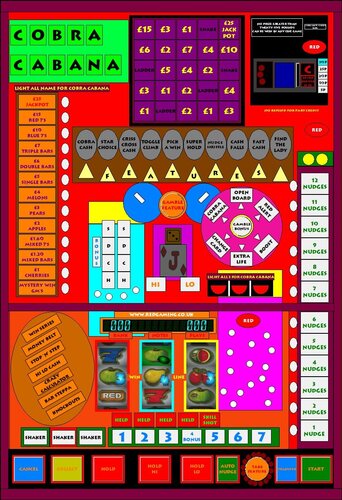
Version 1.0.0
41 downloads
Cobra Cabana A Red Gaming machine, on MPU5 tech, £25 Jackpot, 30p Play, 86% Average Payout. KEYS: '=Cancel, C=Collect, 1=Hold 1, 2=Hold 2/Hi, 3=Hold 3/Lo, A= Auto Nudge, F=Take Feature, T=Transfer, Space=Start, G=Gamble Feature, B=Gamble Bonus. THANKS TO: WIZARD (RIP) for the Comforting MFME. Pootis Spencer for the number reels. Woodys for the main reels, not from the actual machine, by a perfect match, the shakers are just a bit flatter. Loo for his amazing stash of rom, including Red Gaming Machine roms. And as ever, Infection for gathering all the pictures he does for the scene. Red Gaming and whoever owns them now, for leaving the scene alone. -
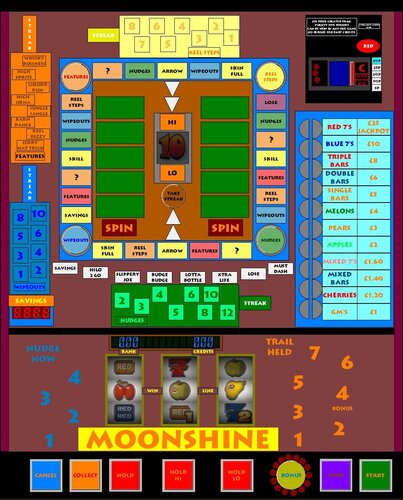
Version 1.0.0
38 downloads
Moonshine A Red Gaming machine on MPU5 tech. £25 Jackpot, 30p play, 80% Average Payout KEYS: '=Cancel, C=Collect, 1=Hold 1, 2=Hold 2/Hi, 3=Hold 3/Lo B=Bonus, S=Swop, Space=Start, 0=Insert £1, K=Take Streak F=Features, R=Reel Steps, N=Nudges, W=Wipeouts THANKS TO: WIZARD (RIP) for the magical MFME Infection for an image to go by and for all the images he makes available, extremely useful. Loo for the program and sound roms, a huge resource provider to the scene. Red Gaming and whoever owns them now, for leaving FME alone. -
Ace - Robin Hood (downloaded from legacy) help please!
wearecity replied to CT229's topic in The Laboratory
Look at the post 4 above yours from John Parker, I believe that's the DX with the reel working correctly. -
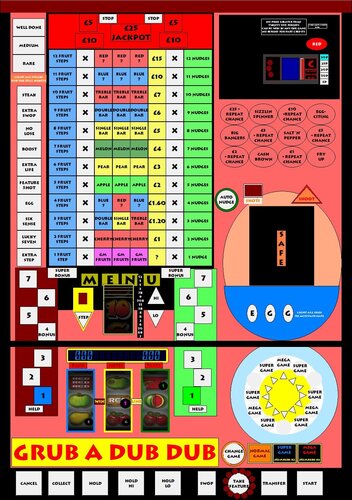
Version 1.0.0
49 downloads
Here's Grub A Dub Dub by Red Gaming. It's on a £25 jackpot. £25 Jackpot, 30p play, 82% Average Payout. KEYS: '=Cancel, C=Collect, 1=Hold 1, 2=Hold 2/Hi, 3=Hold 3/Lo, S=Swop, F=Take Feature, T=Transfer, Space=Start, G=Change Game, P=Step, N=Auto Nudge, H=Shoot, 0=Insert £1 THANKS TO: WIZARD (RIP) for the Grubtastic MFME Infection for some images to go by. Reggert48 who uploaded the roms at Desertislandfruits.com and the person/s, who uploaded them to the internet -
I back up onto a USB stick, which is nearly full now, when FME is put on it. So will need to upgrade it soon. Then I transfer from the USB onto a laptop. So at that point, I have 3 versions of my MFME collection upto date. But as soon as a new release comes along, I'm 1 layout behind, on 2 of the devices, because I don't back up that layout immediately. I don't back up, often enough I suppose, but then as there aren't the volume of releases, there was back in the day, a failure, would mean I'd be a dozen or so layout behind max.
-
I have an mfme machines folder. Within that folder, I have folders for each different tech and in those folders, each machine has it's own folder. One quirk for me I have MPU3 and MPU4 machines in the same folder. That's because some 24 years ago, originally it was the MPU3/4 emulator. I guess I could separate them easily enough, but never bothered to. I didn't even know there were different techs until FME.
-
Getting Started - What files do I 100% need?
wearecity replied to kebabthief's topic in Newbies Help Area
Welcome. Follow the guide on this very site and you should be up and running in no time. -
Version 1.0.1
63 downloads
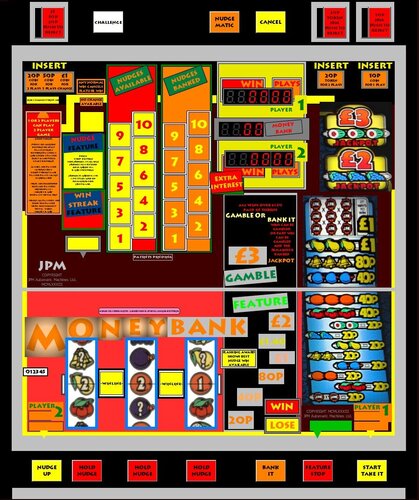
Here's Moneybank. A JPM machine on SYS80 tech. Keys are in the notes. THANKS TO: WIZARD (RIP) for the Magical MFME Superbank for the roms and pictures and playtesting Ploggy for the reels and win panel decals from Superbank Hitthesix for helping with payout sounds JPM and whoever owns them now, for leaving FME alone. The only issue known about, is payout sounds for Tokens are not 100% correct. -
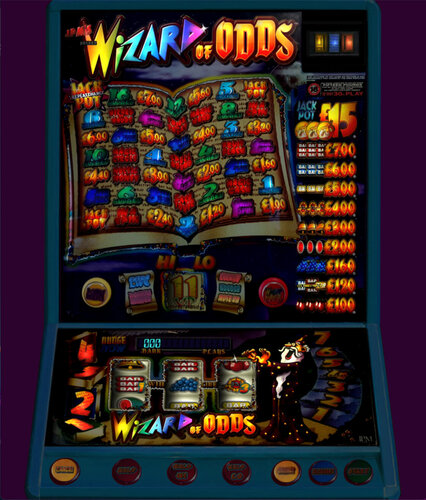 To quote user Ginge "Thanks for this one Had a slight issue with coin mech alarming, adding coin mech effects solves this issue if anyone else has had same issue." If you're not sure how to add them, go into design, edit mode and right click on where you insert coins and choose properties. You see options for adding effects.
 -
I think, Batman and Queen machines are Scorpion 6.
- 1 reply
-
- 1
-

-
Version 1.0.0
49 downloads
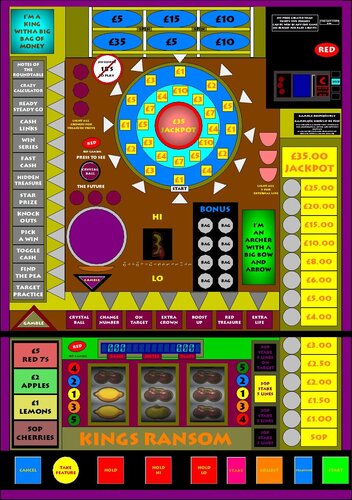
Kings Ransom A Red Gaming machine on MPU5 Tech 30p/50p Play, £35 Jackpot, 84% Payout Number reel from other Reds. Yellow bags, will be white gems on the number reel. KEYS: '=Cancel, 1=Hold 1, 2=Hold 2/Hi, 3=Hold 3/Lo, S=Stake, C=Collect F= Take Feature, T=Transfer (test mode only), Space=Start B=Crystal Ball, G=Gamble Feature, B=Gamble Bonus, 0=Insert £1 THANKS TO: Wizard (RIP), for the Kickass MFME emulator. Fruitsnappa for the roms and a picture to go by The reel provider Red Gaming and whoever owns them now for leaving FME alone. -
If it's hoppers, then go into design edit mode, then click on the configuration tab and uncheck both hoppers and reload the layout. If it's the reel mechanism, then just click on the configuration tab and untick the effects, near the bottom right of the config window. If it's neither of them, then post up a screenshot of the layout, as there are so many Monopoly layouts.
-
Just downloaded and opened the layout, without any issue. I'll send you my zipped up copy. Unzip it, then open emulator, file, load, browse to the folder you upzipped it to. Then click on the master.gam file and see if it works.