



WonkySausage
-
Posts
1,098 -
Joined
-
Last visited
-
Days Won
2
Content Type
Profiles
Forums
Gallery
Downloads
Articles
Everything posted by WonkySausage
-
if you go to the downloads section, down to the legacy section, it's in there.
- 1 reply
-
- 1
-

-
.jpg.0a9abaf0c09f0ecdd8b5c9b89d602237.jpg) there's a layout in the barcrest legacy section
there's a layout in the barcrest legacy section -
.png.026f18ef6d22a5edca30fb6df3e024d3.png) Some Like it Hot lo tech - no idea on manufacturer or tech it runs on un fortunately
Some Like it Hot lo tech - no idea on manufacturer or tech it runs on un fortunately -
@infection here's a brighter, hopefully slightly better image for you (taken from ebay a few months back) for your google drive, and hopefully usable for anyone wanting to take a layout on - wonder if AI upscaling would make this sharper as well!
-
from ebay user "The Markade" Barcrest Reel 2 Reel
-
-
yeah there's also a vid out there (sam guy as your vid) going past the usual feature trail block on to the Bar Select feature (which seems unreachable in MFME!)
-
in edit mode, create a button then right click the button, go into properties and change the button number to: 46: 50p in 45: 20p in 44: 10p in Give them shortcuts if you want, and add coin input noises as well (if you create 2 or all 3)
-
i think there was a thread from ages ago that barcrest MPU4 clubbers seem to have a few issues in MFME where they will block certain features near the top and always block - on Celebration club for example, you could just not get beyond Hi Lo Note Climb. Wonder if this is the same applies to the cashpot also. I've never ploughed enough money through one to find out! The top bank of dips is definitely 88%, but remember you can't force these barcrest MPU4 clubbers at all. The RTP seems shared around the whole board (as in collecting stuff) , not just gambling as high as you can and losing. I also think it was mentioned somewhere as well that you shouldn't just play £1 coins with these, hence i added 10p/20/50p inputs too. Thing is i've barely put £100 through this and am miles away from a pot/cash pot LOL
-
.jpg.a772327c1f6074d77ebd74aba7479e4c.jpg) ive had a look on planetemu, and through that zip with every rom we have that geddy used to host. Can't see anything obviously named there
ive had a look on planetemu, and through that zip with every rom we have that geddy used to host. Can't see anything obviously named there -
.jpg.7effda78e8ab057cdb78c124dbec6908.jpg) Sorry meant to put, it's BWB, not JPM
Sorry meant to put, it's BWB, not JPM -
-
images taken from ebay - seen via "the_markade" ebay listing
-
.jpg.24967fb40d8edd5ceffce77934691c0f.jpg)
-
.png.d262d7f8dccebafaf5172190c9dd37e5.png) trawling through ebay for interesting machines -picture found from "yellow_roland"'s listing
trawling through ebay for interesting machines -picture found from "yellow_roland"'s listing -
so im playing tommyc's DX, dips 1 and 2 on bank 1 change the stake - 1 & 2 on - 2p play, 1 off & dip 2 on - 5p play, 1 & 2 off = 10p play and dip 1 on and dip 2 off is also 10p play - not sure what the difference is. Dip 3 controls the jackpot amount - On is £3, off is £6 this is using the roms nln4_0a.bin & nln4_0b.bin
-
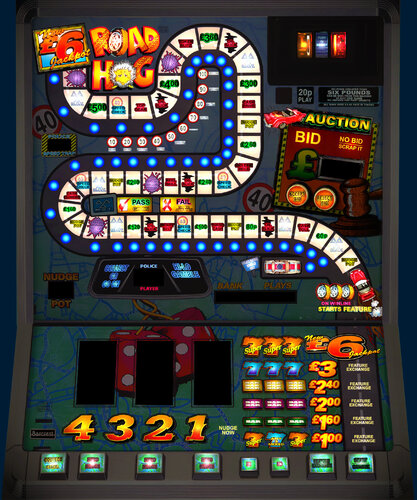 nice one frog!
 -
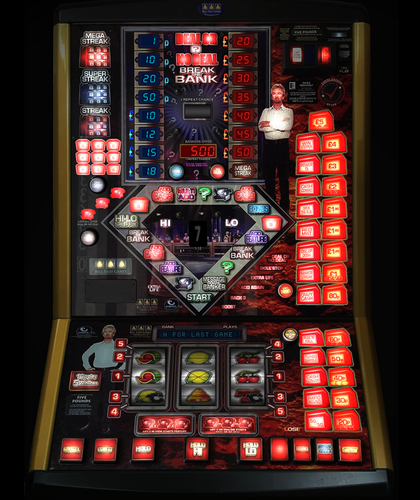 cheers vecs
 -
there are a handful of files that need winRar instead of winzip. Just download Winrar and you should be ok
-
did you see what I posted to you? edit: actually looking at what I posted, I'm not sure I understand what you mean by "ribbon" and what I suggested probably wasn't what you're after haha
-
so what's happened here is that the percentage box is empty in the configuration window and you will need to go into edit mode add it yourself. (This is purely a stats thing for MFME, it affects nothing internally FYI) To do this, first of all you need to know what percentage the game is set to - as released (if you haven't changed the dip switches at all) it's set to 86%. (i'll list other percentages below so that you can enter the correct number if you've changed it at all) So assuming you've left all the dip switches off in the config window, it'll be set to 86%, go into edit mode, then tick S door (to open the service door) then open the configuration window. At the bottom right you'll see the in out and percentage, Type in 86 there. close config window, Untick S door, save layout and leave edit mode. The first 3 dips change percentage so, if you've changed anything you need to enter the following number in that blank percentage box. Dip 1 on - 84%, dip 2 on - 88%, dip 3 on - 91%, dip 1&2 on - 90%, dip 1&3 on - 92%, dip 1,2&3 on - 94%, dip 2&3 on - 93%, dip 1, 2 & 3 off - 86%
-
.jpg.42e23dde3f002f0014f0e5aebb09e14f.jpg) Another one from Ebay, not mine or my photo.
Another one from Ebay, not mine or my photo. -
.jpg.c599291c1a65342cfde6a6867034230f.jpg) oops haha, me and my eyesight
oops haha, me and my eyesight -
.jpg.84b8f99af11e59e3e601302896a23f0a.jpg) Seen/Taken from an ebay listing, not mine
Seen/Taken from an ebay listing, not mine -
Taken from an Ebay listing - never seen or heard of this one before from JPM