



johnparker007
-
Posts
2,599 -
Joined
-
Last visited
-
Days Won
116






_Dx01_6jp.jpg.81c301da9279f35318b0a36244793b99.thumb.jpg.14622eafb30c8fea54c0a20d912448b3.jpg)





johnparker007's Achievements






-
I did spot that one recently Should be good for playing MAME internal classic layouts that require simultaneous button holds (nudging reels up, holding cancel to slow skill stops etc)
-
A little bit hacky, but more progress on the MfmeTools Extractor. Usually when right-clicking the left side of the layout to pull up the Properties window, we land straight on the first component (the background). This isn't always the case though, sometimes there might be a component like a checkbox there. So we must get back to the first component... I've added a large 'dummy test' lamp on the left of this Andy Capp layout I'm testing with, so we can test getting back to the first component. Here is the new window scraping code getting its first use, watching the component number change while clicking left, until it sees it has successfully reached the first component:
-
Sounds gnarly mate Even if the code was still present in the original asm source, but the (forced mini streak) routine was no longer called , the compiler would exclude it so it would be gone from the binary you get from the ROM (in these early asm production environments it was common to comment out the call but leave the code due to early/no source control).
-
A small tech update on this project I have the general custom window scraping written (so it can grab the RGB value of specific pixels from the various MFME windows). Currently working on integrating that functional scraping code into MFME Tools - the first use of which will be to simply scrape the component number from the properties window (so we can 'rewind' back to component #1 after getting into Properties - this is how I found it best to do under the Arcade Sim Layout Scraper). The plan is that this custom scraping code, whilst also being complete independent of Unity (MFME Tools is written in C# as a Windows executable), will also provide missing stability, as the scraping system I used under Unity to drive Arcade Sim and also the layout extraction, had a tendency to crash! So hopefully when this is fully developed, I can leave it with a massive batch of DX layouts, and it will not crash even after many hours of extracting... Commits are all here for those interested in the code, this is all open source: https://github.com/johnparker007/Oasis/commits/main/
-
Been feeling a bit better, so got some more progress on porting/converting the MFME Layout Extractor from the old ArcadeSim project to the new MfmeTools application (this is a 'standalone' Windows-only component of the Layout Editor, which is a cross-platform component of the Oasis suite). Work ported so far, allows for a little more progress in this test extraction, is now puts Mfme in Edit mode, and copies off lamps to the background: Next, is to get the Window Handle of the Properties window, and then from there, it's working on the new window capture system itself, as I need to get: - window position/size from the handles - getting window content as a bitmap - redo the old scraping of the component name (used a fuzzy OCR in old system, this needs converting to my Delphi font scraper, as everything else uses)
-
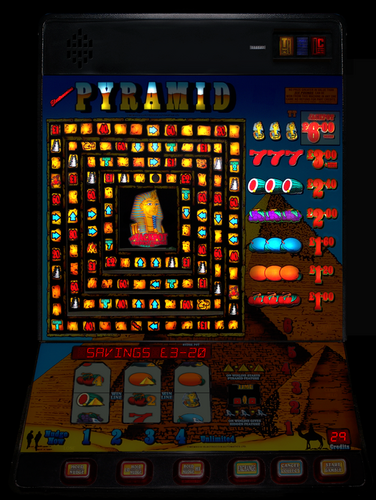 Those 8k rotatable monitors are expensive now, but give it another 5 years... https://www.amazon.co.uk/dp/B0727ZQ21F Then we can really get into the next gen of 'retina resolution' layouts!
 -
Nice work Tommy, thanks - classic machines these ones For future ref, there's a potentially better quality image source on the Community Drive (http://tinyurl.com/yckze665) for this one - might be useful for a future ultra high res 8k version or summats with some fettling, like this I did from a quick edit: Right I'm off to have a quick play on your layout for some nostalgia!
-

Had a tinker with my shmup prototype (ZX Spectrum 128k)
johnparker007 replied to johnparker007's topic in 8-bit
On a real Speccy it runs at a locked 25 FPS. It usually looks a bit stuttery on PC monitors that a frame locked at 60 FPS (but correct on a PAL TV running at 50 FPS, since 50 / 2 = 25 ) Bit of both man Writing code on a modern computer/monitor is better than the olden days. Those who could afford a second computer and an interface to inject the compiled code into Speccy memory did that, for some poor souls, they had to write on the same machine they were using to test, which must have been hellish! I'm currently using VS Code, and an emulator called ZEsarUX - which means I can actually debug the running code with breakpoints etc, which is crazy useful: And yeah, there's so much code and guides online, it's relatively straightforward to do the cool stuff like beam-racing multicolor without having to start from scratch. That said, all this leads to trying to do historically impossible things like this shmup Definitely think I'll end up having to compromise on the sound, though I think I might have figured out a way to make the collision detection feasible. Most of the CPU cycles are being burnt just to do the rendering, but I want to make it like a 'bullet hell' shmup with up to 16 enemy bullets onscreen, plus up to 8 enemies onscreen, then 2-6 player bullets. Thinking with some limitations on the background tilemap palette I can pull it off, by doing direct to screen color comparisons, which kinda gives us a free-ish version of hardware collision detection. The trick is to disguise the compromises/constraints into the style of the game, I think it might be doable -
Had a tinker with my shmup prototype (ZX Spectrum 128k)
johnparker007 replied to johnparker007's topic in 8-bit
Good eye, this is indeed using Denis's Engine he originally developed for Ringo, which he open-sourced here: https://github.com/DenisGrachev/Ringo-8 I've added the 'scroller', as the original engine is limited to a small level map, so this can do the much wider map required for a shmup. Also been experimenting with additional pseudo-sprites that will be drawn in spare cycles for the player's bullets/laser. Struggling a bit with spare cycles though, as I'm aiming to do a lot more than RIngo did, but still limited to the same damn Z80 CPU haha If I can figure out it, should be pretty crazy for a Speccy shmup, I may have to compromise on the audio though. It is showing an illusion of parallax scrolling, it's fairly limited parallax (same repeating tile on faraway 'layer'), but I have an idea to work around to some extent that with tilestrips. Haha yep, no color clash with this rendering technique. It involves both beam-racing and using a form of double-buffer. So there are two screens, that do obey the Speccy limitations of only two colors in every 8x8 attribute square. But then we toggle betweeen which one is being displayed in sync with the raster beam, every 8 pixels horizontally starting from x=4, and also every 4 pixels vertically starting from y=4, and so that gives us an effective resolution of 4x4 pseudo-pixels, that can display any of the 8 color values with no color clash. What you see: An example of one of the real buffer screens, that is rendering the above display: -
Had a little tinker with my shelved Speccy shmup prototype - looking at impact of adding AY music. General conclusion being that I'll barely have any cycles left over to do collision detection! So I suspect next will be looking if I can get more efficiency by running very basic 1 channel music, and then sound effects on the other two channels... The music here is a little basic remix I did of a couple of tracks by Chris Huelsbeck, from the game Apidya on the Amiga. The plan is to do: - an alternative method for drawing the player ship 'laser' - get some config of AY sound working that is performant enough to allow for full collision detection - write that performant collision detection So then I could have a single playable complete level+boss as a vertical slice proof-of-concept. Here's an older video showing sprites moving and some test collision detection code (no audio implemented in this one):
-
Yeah I thought the c64 port was heart-breaking. I mean that 7 years would've just been chipping away here and there, but I'm sure it still was a ton of work! And then Nintendo turn up 4 days after he released it and started spaffing DMCAs all over the place... I couldn't see any other videogame company pulling that shit about a port for an ancient computer, Nintendo are just crazy.
-
Never forget: A developer was working on a C64 port of Super Mario Bros for seven years, and Nintendo took it down in four days. https://www.technadu.com/nintendo-take-down-commodore-64-port-super-mario-bros/65550/ They really are a pain with this stuff!
-
Got a chance to do a start on the rewrite of what (should be) the reliable Window capture system. Here you can see it has acquired the 'Window Handle' of the launched layout. That Window Handle is the connection to be able to capture the window contents which is the backbone of how the extractor(and injector) works:
-
The princely sum of $2.4 million is the settlement (£1.89 million squid) - let's not forget they even took down a one man seven year passion project of building Super Mario Bros on the Commodore 64: https://www.denofgeek.com/games/nintendo-super-mario-bros-commodore-64-port/ Honestly they are absolute cockmuffins when it comes to emulation. So sadly we can't have Nintendo video games in Oasis (which will end up with a lot more internet exposure than the original fruit machine focused Arcade Sim), it's not just worth it to get their crappy lawsuits They're simultaneously one of the best and worst video companies to ever exist.
-
Esp with Citra and Yuzu being zapped by the relentless Nintendo...they just really struggle to understand the emu scene! So tiresome lol I avoided any Nintendo machines in Arcade Sim, and am already considering a Nintendo block on the online library of 'official' Oasis machines that can be used, just so they don't turn up and trash the party because we have an official Donkey Kong machine in the Arcade Machine LIbrary. They've had sooo long to calm down and get with the scene, and it's still relentless BS