


johnparker007
-
Posts
3,753 -
Joined
-
Last visited
-
Days Won
178
Content Type
Profiles
Forums
Gallery
Downloads
Articles
Everything posted by johnparker007
-
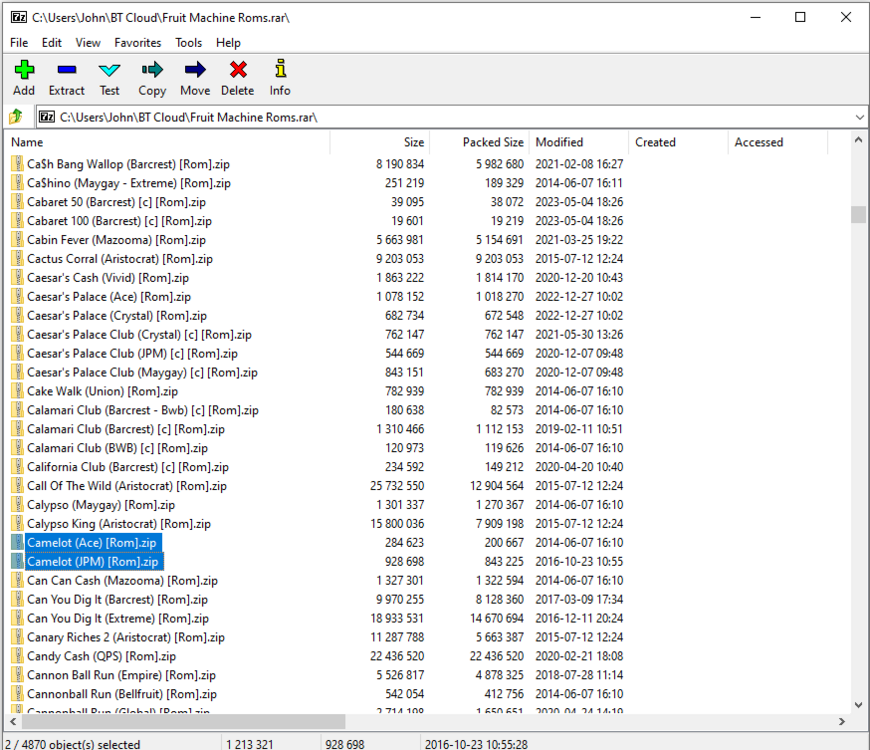
I only see roms for a JPM version and an ACE version in a recent ROM collection from @Geddy, also none in MAME. Looks like a Reflex sc 4/5/6...
- 1 reply
-
- 2
-

-
I did half-start a tool (a modern Windows tool with a GUI) for doing this, worked on a few techs, more were to follow, but I've been under the weather, plus a bunch of other FME projects require my attention these days! Here's a demo of someone using a rom created by the tool (so the feature board music normally isn't the official Ghostbusters, but a short loop of similar synth Ghostbusters music): The source code is here (all my projects going forward are open source so all code is always available). If someone has the time and a basic knownledge of coding etc, they could expand this to cover most/all techs, and also improve the UI etc: [ Sound ROM Editor ] Source code: https://github.com/johnparker007/SoundRomEditor
-
I have just tried the 'Unpack Blended Lamps' operation on the high resolution Indiana Jones layout; it reported unpacking I believe 10x blended lamps. Then running the 10x sped up attract mode, it seems to have made some improvement to the stutter when viewing in non-Edit (DirectX shim scaled) mode. In Edit mode (no DirectX scaling), it runs at full speed as in the previous test. So Unpack Blended Lamps can help, but for severe slowdown, I'd also recommend doing stategies like the one outlined above, to reduce the net volume of blended pixels to be rendered. Another technique that I believe may be workable and help is; where you have your overlapping blended lamps, such as the 'Jones' in my tutorial above, you can also make one of the blended overlay lamps non-blended - so this would entail as one suggested workflow, capture the lamp in its On state rendering on the layout (all other lamps in Off state, acquire transparent pixels by layer subtraction against the background image). Then by placing that single no-longer-blended lamp at the lowest z order (Send to back), the other overlaid Blended lamps can blend with it, and I think the appearance should be identical, whilst drawing one less blended lamp.
-
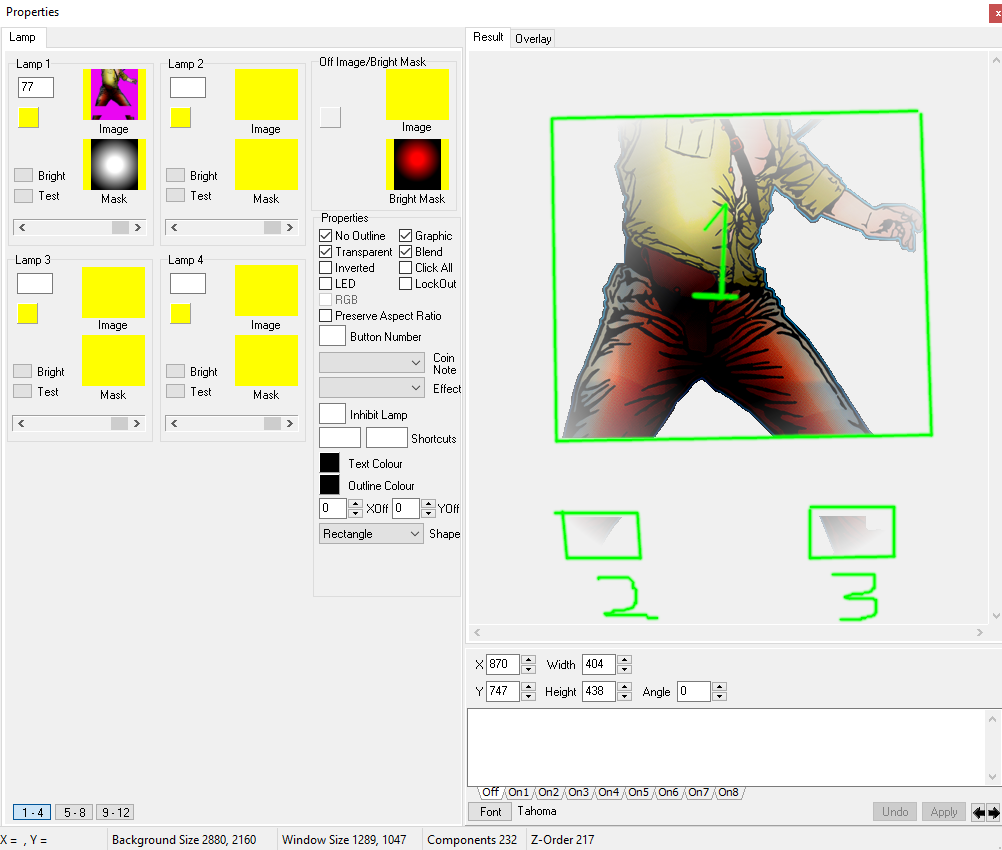
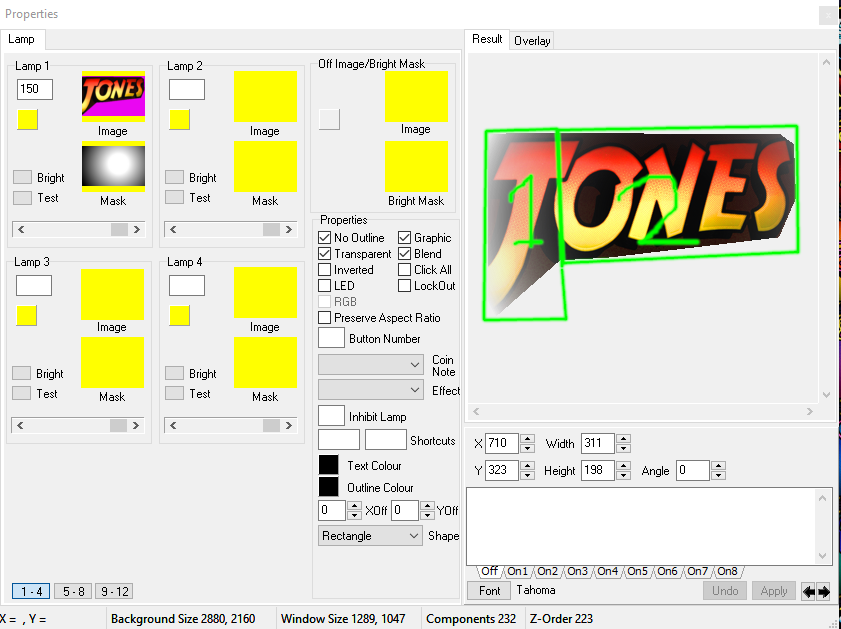
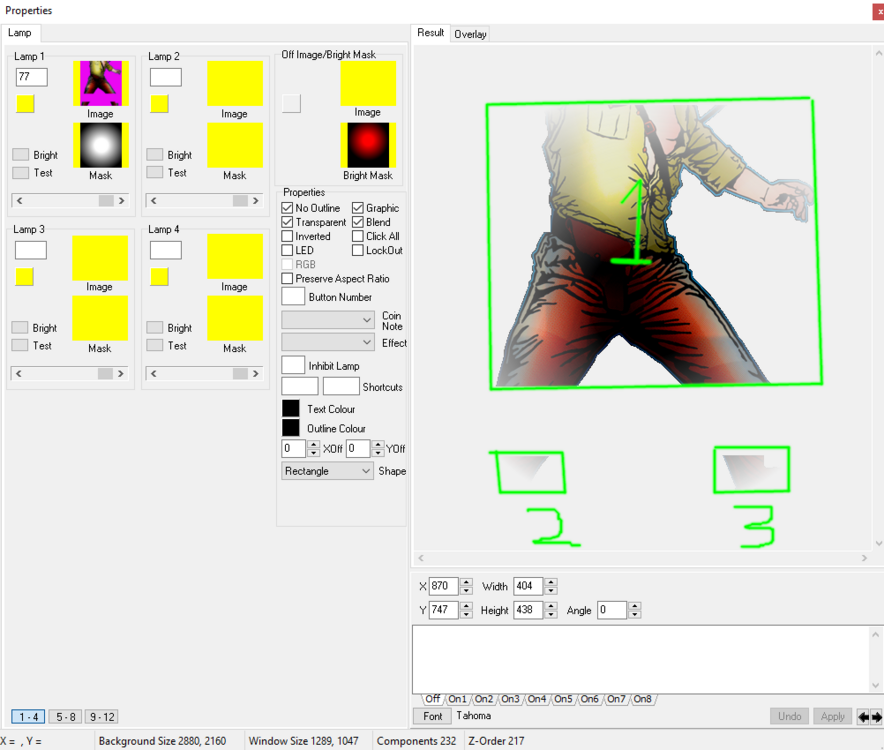
Hiya mate I did have a brief look into this MFME render issue before, I've just done a quick vid demo of @Pook's Indiana Jones layout, showing the issue. Basically, if you have a lot of blended lamp overall 'area', I think that's where you see more problems. Internally, MFME still runs a CPU based Delphi graphics buffer to put its graphics together. There is then some kind of shim on the end, that makes that into a DirectX texture (when in normal mode). This DirectX shim is not in place during Edit mode (as the layout is not scaled in the same way). I've sped up MFME here with cheat engine (rather than try get jackpots), and you can see, it has slowdown to 1-2FPS when in normal mode (layout scaled to window via the DirectX shim code), but when in Edit mode, the DirectX shim is not in action, and you can see it then has no slowdown at all. Also, at the end of the video I click and delete what I think are probably the main 'blended' lamps on the layout, and then you can see that it no longer has the slowdown when running scaled down by the DirectX shim. You could perhaps arrange your layout in somewhat elaborate ways to work around it 'a bit', depending if you have large blank areas on your alpha lamp, so for example, this particular 'Jones' lamp, could be broken into 2x lamps (both mapped to the same original lamp number): That way it might save some CPU/GPU time, since the overall pixel area is smaller. As another example from that layout, this would prob save some render time from the DirectX shim approach, by splitting this lamp into 3x lamps, again with the aim of not processing all those completely empty pixels: There's some other tricks that would probably help too, but I've got to head off to the shop That or simply avoid blended lamps of course! Hope that helps to understand what's going on...
-
Here's some Dr Who Timelord roms, maybe one of these will be the ones you need Dr Who Time Lord (Bellfruit) [Rom].zip
-
If you are handy with photoshop then it's 100% doable If you can get your phone (assuming phone camera), 100% steady by rigging up some makeshift tripod, could just be wedged on the step of a stepladder or whatever you have to hand, that could make things easier, since the on and off photos would perfectly match up, then no 'jumping lamps'. Then if you have it in photoshop so you can turn on/off the top layer, then that will simulate what it'll look like when all the lamps flash on/off in the emulator (without needing to go through all the work of actually cutting things out etc). If it looks good there, then it'll look good when built into a layout. Might want to also set up manual focus/exposure etc for when you take the pics, otherwise the lamps on may confuse the light sensor on the camera. Glass scans and high resolution photos are always very welcome, if you'd be up for sharing them before they get processed into a layout There's some on the Community Drive (http://tinyurl.com/yckze665) that need fish eye correction fixing, so improved images would be amazing Fisheye images: https://drive.google.com/drive/folders/1038UcG9kCB6ziec0WPMmwaI-3YkuNBbf?usp=sharing
-
Thanks so much for all of this amazing art you have contributed, just incredible man!
-
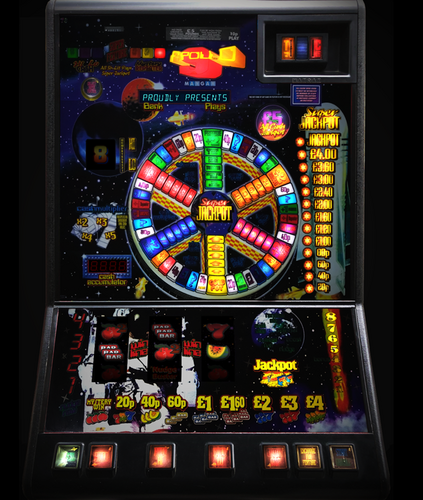 Hey @vectra666 nice layout from @spa's arcade photo! I had a very quick tweak with the blance on the reel image, in case you want to use them, no worries if not Here's the comparison under the lamp masks in the layout: Processed / original: ...and here's the MFME .fml with the updated reels if in ya want it Apollo 9 £5.zip
-
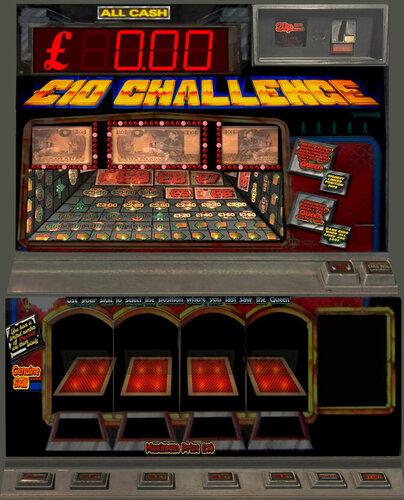 Haha @Ginge pulling practically DX ready photos out I see manufacturer Project, unsure if a newer platform than current FME? Looks like a basic video ROM with probably an existing controller for payout etc... hard to say if/when will be emulated suspect it's a platform not yet covered... it all starts with ROM dumps and board photos/specs....
-
Do you mean one of these three similar video poker games? None of them have the standard 'fruit machine prefixes' to the ROM names, someone could have a bash though, rom names are in the MAME window titles in the screenshots above.
-
Woohoo nice one @Jamie28J and @spa!
-
Warped (Bellfruit) [Rom].zip From Geddy's collection (no sounds only the interleaved program ROMs)
-
@hitthesix identified this rom as Bell Fruit Warped (missing sounds) back in 2019 over on fruitemu: https://www.fruit-emu.com/forums/topic/56619-fme-rom-dat-20190623/ The game is 'WARPED', I just checked myself in the interleaved ROMs, and the ROMs are in the BFM sc5 naming format.
-
Played a lot of the arcade version of this, great little game
-
I see you lol
-
I looked at all RoadRunner's uploads, none of them were the rom unfortunately - I see you added a comment over there, maybe they'll turn up. In the meantime, there's always even more queen games lol
-

Point me in the right direction please
johnparker007 replied to jasscen's topic in Newbies Help Area
Mpu Mecca is definitely still running, may be worth giving another try, checking Spam folder etc. https://www.fruitemu.co.uk/ib/ -
Queen image from the video - so at least I won't need to be doing 3d modelling for this one! Couldn't see any roms unfortunately, I did have a poke around...
-
Hey @Jamie28J We don't have roms, but I've found yet another queen game! A guy Riche is selling it on the Mecca, here's a couple of photos:
-
I've played 4 out of those 5 games on the 2600, alkl except Vanguard (I've got one with a flashcart, and dabbled), also enjoy the 2600 version of Centipede - the graphics may be simplified but it is super playable on a CRT with zero input lag Speccy - obvs awesome And yeah it was faster than C64 for vector games which was always nice, since the c64 had better sound and sprites and no colour clash and full screen hardware scrolling, which is a lot of advantages. It did cost more though, amazing what the Speccy could do for the pricetag at the time
-
Indeed, I messed around with a little coding experiment on it, the 2600 has a whopping 128 bytes (not kilobytes; bytes!) or RAM. You have to do it all with the playfield/object drawing hardware and beamracing - good results can be attained, but only if you play to its strengths, and design accordingly The Speccy on the other hand was a fairly versatile little beast for the price.
-
Ah yes, seems like the only workaround fix for MFME might be if your 3rd party audio drive software allows you to swap the L/R channels. Apparently that was more a thing in the past, not so much since Win 10 level drivers. Then you could temporarily swap the channels while playing an affected machine (but you'd need to remember to swap them back afterwards!). Just an unfortunate oversight I suspect, when Chris was unifying the 'Sound' and 'Speakers' settings into a single overall setting (missing an additional new 'Stereo (Swap)' option in the dropdown).
-
Regarding this are you saying there is a machine where it does output in stereo, but the L/R channels are flipped? And so you can tell in a sound test mode, if it says "Left" out of right speaker, then says "Right" out of left speaker? In that case, that sadly would be a bug, as he would have needed a fourth setting: Stereo (Swap).
-
Just to defend Chris's coding honour here It's not an overall a bug in his emulator, it's just a little counter-intuitive to understand the meaning of the setting! From my earlier comment regarding this here: So if you followed that explanation, which probably could be written more clearly haha You see that his work is correct, it's just that you are trying to tell MFME how the machine audio was originally coded and subsequently wired, not how you expect to hear it. Hope that makes sense